


Boomerit Boomerang Video Maker
4.6335.00 Reviews
App Specs
- Version
- 3.0.5
- Updated On
- License
- Free
- Downloads
- 1,000,000+
- Developer
- Cubetix Ltd.
- Categories
- Video Players & Editors
- Platform
- Android
Screenshots
 Analysis by AppCompare
I usually reach for a boomerang maker when an ordinary clip feels a little flat: a quick wave, a jump, or a small moment that looks more playful when it loops. Boomerit Boomerang Video Maker is built for that narrow, social-video task rather than full-scale editing. In my experience, that focus is its main appeal: I can make a short clip the point of the post, without first learning a complicated editing suite.
It is a free video-making app from Cubetix Ltd., with optional in-app purchases ranging from $0.49 to $39.99 per item. Its 4.6 average from around 34,000 ratings and more than a million installs suggest it has found an audience for this simple format. It is rated for Everyone, and version 3.0.0 requires Android 7.0 or later. Those details make it easy to judge whether it fits your phone and comfort level before you start.
Start with a moment that can loop
The best results begin before opening the camera. I look for one clear movement with a natural beginning and end: tossing a scarf, turning toward the camera, or tapping a friend’s shoulder. A boomerang repeats the action in reverse, so movements that change direction cleanly tend to feel intentional. A person walking steadily across a room, by contrast, may look odd when the footage plays backward.
That small bit of planning matters more than adding effects later. I try to keep the subject visible, leave a little room around the movement, and avoid busy backgrounds that compete with it. If I’m filming outdoors, I also check that the main action is not lost against bright sky or moving crowds. These are simple choices, but they make the loop easier to understand on a small social feed.
From recording to a shareable loop
I find it useful to think of the whole process as more than pressing record: the framing and choice of movement determine whether the loop will work, while the final handoff determines how much control I keep over the post. In the next section, I’ll follow that path from a simple recording to a clip ready to share.
Getting Started
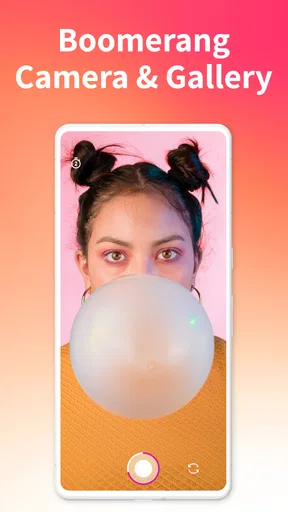
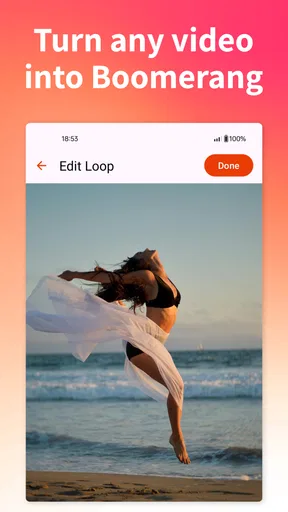
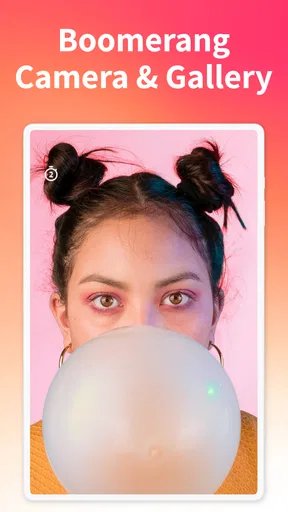
Jumping into creating your first boomerang is as easy as pie. You just hit the record button, and the app does the magic. It captures a short video snippet and then loops it back and forth, creating that signature boomerang effect. I found the whole process to be pretty intuitive. There are no complex settings or overwhelming options—just point, shoot, and let the app work its charm.
For a more dependable result, I hold the phone steady and ask the person in front of the camera to make one deliberate movement rather than several at once. A quick test clip can reveal whether the action is too small or happens outside the frame. That is useful when the moment is hard to repeat, such as a pet reacting to a toy or a friend blowing out a candle: spend a second composing first, then record when the movement is ready.
Worth Reading Before You Choose

EA SPORTS FC Mobile 26 Is a Bigger Football Game, but It Takes Time

Flipboard Shows What News Apps Must Do Beyond the Feed

Switching to Android Auto Means Rethinking Your Driving Routine

Google Calendar Makes a Crowded Week Easier to Manage

Ludo King Makes the Most of the Minutes Between Plans

Baby Panda World Brings Quick Play to Modern Phones, but Its Game Library Feels Busy
Customization and Features
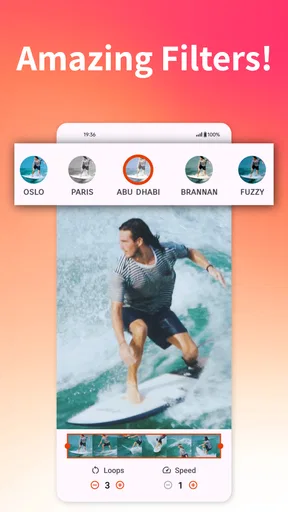
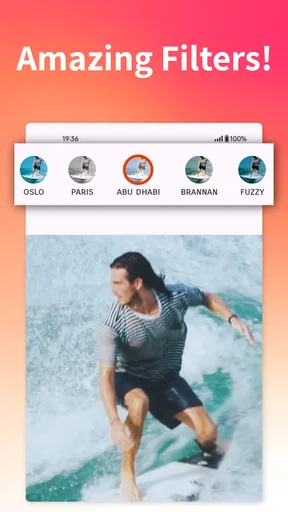
Now, let's talk about the fun stuff—customization! After you’ve got your video, you can tweak it to fit your style. The app offers a bunch of filters and effects, letting you add a bit of flair to your creations. Whether you’re going for a vintage look or something more modern, there’s likely a filter that’ll suit your needs.
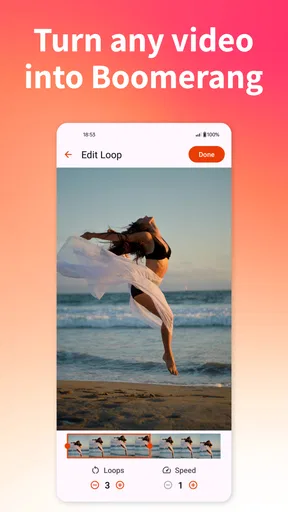
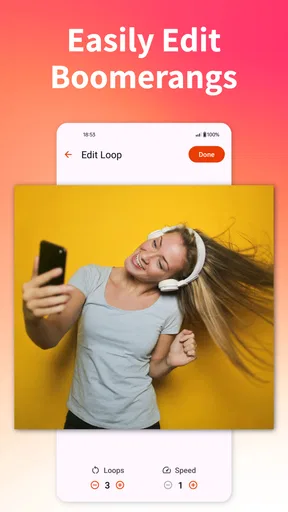
One feature I particularly enjoyed was the speed adjustment. You can slow down or speed up your boomerangs, which adds a whole new layer of creativity. Want to create a dramatic slow-motion scene or a fast-paced action shot? No problem—Boomerit has you covered.
I treat those adjustments as finishing touches, not a way to rescue every recording. A faster loop can make a small gesture feel lively, while slowing it down can make a quick movement easier to read; either choice can also make an awkward reversal more noticeable. I compare the edited version with the original feel of the action before settling on a speed, and I keep filters restrained when the movement itself is the point. The aim is a loop that reads clearly on a phone, not an edit so busy that the action disappears.
Sharing is Caring
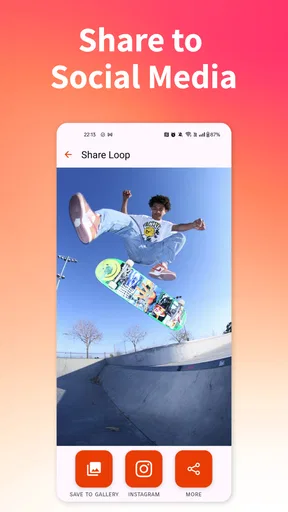
Once you’ve crafted your masterpiece, sharing it is a breeze. The app integrates seamlessly with social media platforms, so posting directly to Instagram or Facebook is just a tap away. You can also save the videos to your device, which is handy if you like to edit them further with other tools.
Saving first is the more flexible route when I want to add a caption, combine the loop with other footage, or choose a different layout in another editor. It also gives me a copy to review before posting, which is helpful if the clip includes someone else or a recognizable place. For a quick, casual share, posting straight from the app keeps the handoff short; for a more polished post, exporting and checking it elsewhere gives me more control over the final presentation.
Performance and Usability
In terms of performance, the app runs smoothly without any noticeable lag or glitches. It’s lightweight, so it doesn’t hog your phone’s resources, which is great for those of us who run a lot of apps simultaneously. I didn’t encounter any crashes or bugs during my time using it, which is always a relief.
Usability-wise, Boomerit Boomerang Video Maker scores high. The controls are intuitive, and the learning curve is practically nonexistent. Whether you’ve got a few minutes or a whole afternoon to spare, you can easily dive in and start creating.
That simplicity is also a boundary. I would not choose this as my main editor for a video with multiple scenes, carefully timed titles, or a long music bed; a full editing app is better suited to those jobs. Boomerit makes more sense when the loop is the finished idea, or when I plan to pass the saved clip to another tool. The app’s free entry point makes it easy to try, while the optional purchases mean I would check what is included before paying for anything rather than assuming every editing choice is part of the free experience.
Final Thoughts
All in all, Boomerit Boomerang Video Maker is a fantastic app for anyone looking to add a bit of fun to their video content. It blends simplicity with creativity, making video creation accessible to everyone. While it may not have the advanced features of some professional editing apps, it’s perfect for quick, playful videos that are sure to delight your friends and followers.
So, if you’re looking to spice up your social media presence or just enjoy creating short, entertaining videos, give Boomerit a try. It’s like having a mini video studio right in your pocket. Go ahead, unleash your creativity and see what boomerang magic you can create!
A practical outing from capture to post
Picture a friend meeting me at a café and greeting me with an exaggerated little dance. I would frame the shot before the moment starts, keep the camera still, and record only that gesture. Once the loop is ready, I would check whether the reverse motion still looks playful, then test the speed adjustment if the movement feels too abrupt. A light filter can help the clip match the mood, but I would skip extra styling if it makes the action harder to see.
From there, the choice is whether to post immediately or save the video first. A direct social share suits a spontaneous moment; saving it gives me a chance to review the loop, crop or combine it in another editor, and make sure the finished clip is the one I meant to send. That distinction is useful when the video is part of a planned post rather than a quick message to friends.
When a boomerang is the right format
This app is especially suited to small, self-contained actions: a toast at dinner, a quick outfit reveal, a hand waving from a train window, or a dog’s brief head tilt. Those moments need little explanation and can work as a standalone post or a playful addition to a story. If I were documenting a full event, recording an interview, or telling a story with several beats, I would use a regular camera and a timeline editor instead. The repeated reversal is a distinctive effect, not a substitute for every kind of video.
Compared with the usual alternatives in video players and editing apps, Boomerit puts the loop first. A general editor gives more room for arranging clips, audio, titles, and transitions, but that flexibility can slow down a one-movement post. A phone’s standard camera is the better choice when I want ordinary footage to preserve the natural direction of events. Boomerit sits between those options: it is more focused than a broad editor and more playful than a basic recording, with less room for complex finishing work.
Small choices that improve the handoff
One useful habit is to make the action happen near the center of the frame. Social platforms may display a clip in different shapes or crop its edges, so leaving breathing room reduces the chance that a hand, face, or prop gets cut off when the video moves elsewhere. I also avoid recording a long setup around a tiny gesture; the loop works best when the action is immediately legible.
Another trade-off is background motion. A busy scene can make a boomerang feel energetic, but it can also distract from the subject when the whole image reverses. If the main action is subtle, a calmer background usually helps. For a lively scene, I would make the central gesture larger and clearer rather than relying on a filter to pull the viewer’s eye toward it.
For anyone wondering whether the app is suitable for a first-time creator, I think so: the basic record-and-loop process is approachable, and the speed and filter controls offer room to experiment without turning the task into a full editing session. If the goal is precise trimming, a multi-clip sequence, or detailed control over sound and text, I would skip it in favor of a dedicated editor. The deciding question is simple: do you want one movement to loop, or do you want to build a complete video?
I’d recommend trying it when a short, expressive moment is already in front of you and you want to turn it into a shareable loop with minimal setup. Its focused workflow is convenient, though the reverse effect will not flatter every action, and its editing scope is intentionally narrower than a general-purpose video tool. When I keep those limits in mind, it is a pleasant way to make an ordinary gesture feel a little more memorable.
Pros
- Easy to use with intuitive interface.
- Supports high-quality video export.
- Multiple editing tools available.
- Quick sharing to social media.
- Free with no hidden charges.
Cons
- Limited effects compared to competitors.
- Ads can be intrusive at times.
- No advanced editing features.
- Requires internet for full functionality.
- Occasional app crashes reported.
FAQs for Boomerit Boomerang Video Maker
What is Boomerit Boomerang Video Maker?
Boomerit Boomerang Video Maker is an app designed to create short, looping videos that play forward and backward, creating a fun boomerang effect. It offers various editing tools and filters to enhance your clips, making it perfect for sharing on social media. Users appreciate its ease of use and creative capabilities.
Is Boomerit available for both Android and iOS?
Yes, Boomerit Boomerang Video Maker is available for download on both Android and iOS platforms. You can find it on the Google Play Store and the Apple App Store, ensuring compatibility with a wide range of devices. Always check the app’s requirements to ensure it works smoothly on your device.
Are there any in-app purchases or subscriptions?
Boomerit offers a free version with basic features, but it also includes in-app purchases for additional features and filters. Some content might require a subscription for premium access, offering an ad-free experience and unlocking exclusive editing tools. Prices and options can vary, so check within the app for details.
How user-friendly is Boomerit for beginners?
Boomerit is designed with an intuitive interface, making it user-friendly for beginners. It provides step-by-step guidance and easy-to-use editing tools, allowing even those with little experience to create impressive boomerang videos. The app also includes tutorials and tips to help users get started quickly.
Does Boomerit require an internet connection to use?
While Boomerit can be used offline for creating and editing videos, certain features like downloading new filters or sharing directly to social media will require an internet connection. It's advisable to connect to Wi-Fi or mobile data to access all functionalities and ensure the best user experience.


